

Features 솜데이
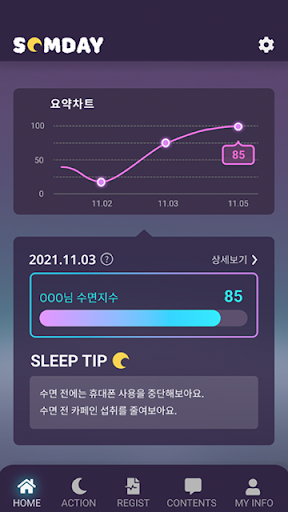
Somday aims to provide digital therapeutics and diagnostic aids to solve sleep problems through daily data collection.
By enabling sleep analysis based on an individuals biological clock, we want to identify different sleep disturbance factors for each individual and provide a customized analysis result sheet.
Furthermore, we want to help you maintain a healthier daily life by expanding it to a platform service that is linked with a treatment institution.How to use the APP1.
After registering as a member, log in.2.
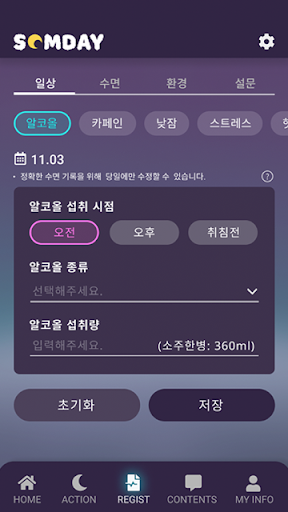
After logging in, register daily, environment, and survey records.3.
If you are a Fitbit user, you can record more precisely by linking your Fitbit account.4.
Before sleep, start recording your sleep.5.
When the recording of one day is finished, you can check the result sheet the next day.* Uploaded records are used for research purposes to provide more accurate results and contents.
Fitness Tracking
Track your workouts and monitor your health metrics.
Food & Dining
Discover recipes and order food from your favorite restaurants.
Lifestyle
Enhance your lifestyle with personalized tips and features.
See the 솜데이 in Action
Get the App Today
Available for Android 8.0 and above